A file is opened
Staff open a file, or R&I receives a document from outside and enters it.


A complete digital workplace for public and private sector organizations: files, noting and approvals, with HR, finance, projects and procurement on the same system.
Open a file, add and mark documents, and attach part files. R&I records everything that comes in.
Every file follows your organization's hierarchy and delegation of powers, and every step is recorded on the file.
Staff open a file, or R&I receives a document from outside and enters it.
Noting is added, by typing or by voice, and the file is forwarded in one click along its flow.
Multi-level approvals follow the designation chain, with delegation so work never stops.
The audit trail shows who did what and when, and closed files are indexed and archived.
Built for the everyday work of noting, forwarding and approving files, and for the people who need to see all of it.
Dictate noting straight into the file, and have any text read back to you with text to speech.
Add your noting and send the file on along its flow. It reaches the right desk by designation, with nothing to carry by hand.
Open documents, spreadsheets, presentations and images on screen, without downloading them.
Protect documents with digital signatures, watermarks and QR codes, and control access by role.
See who opened, noted, forwarded or closed a file, and when, however many desks it passed.
Go back to any point in a file's history and see exactly what it held at that moment.
Files on desk, received today and delayed, for each user and for the whole organization.
Business-intelligence analytics, an interface you can customize, and the small tools that keep work moving.
Start with files and correspondence, and bring HR, finance, projects, procurement and your intranet onto the same approvals.
The core of InvoDESX: files, documents and correspondence moving through the organization.
Open files, add and mark documents, prepare cases, open part files and merge them back, route documents through defined workflows and track their movement. Add noting, then close, record, index, weed and archive files, with criteria-based search and reminders.
Receive, dispatch and distribute documents. R&I enters every incoming document and forwards it to the concerned official, and dispatches outgoing mail to external organizations by priority.
From a new post to a filled seat, and every leave in between.
A new post is raised, approved within the division and department, cleared by finance and hiring authorities, and sanctioned by the competent authority.
Advertisements, selection committees, application filtering and shortlisting, interview minutes, call and offer letters, medical and police verification, office orders and the first salary bill.
Configurable leave types with live balances. Applications go to the reporting officer and are approved through the delegation of powers, with financial implications handled and records updated.
Budgets, spending and accounts under one set of approvals.
Prepare, approve and adjust development and non-development budgets, each with its own approval hierarchy, including re-appropriation and supplementary grants.
Every purchase is approved first. A case is prepared, the sanction is issued and endorsed, and Accounts makes the payment to the supplier or staff member.
Configure the chart of accounts, financial years and the reconciliation of accounts.
Plan, approve and deliver projects, including public-sector PC-I and PC-II.
Prepare the project documents and route them through internal, ministerial, pre-DDWP and DDWP review meetings.
Automate the work that follows approval by DDWP, CDWP or ECNEC.
Manage who attends each meeting, maintained by a nominated user.
From requisition to disposal, with every step approved and recorded.
Everything your staff need, in one place.
Company news, events, office information and an employee directory you can search by skill.
Announcements, blogs, recognition and discussion that build a strong working culture.
 invoMindIntegration
invoMind’s AI agents work inside InvoDESX: from a plain-language request they search files, summarise notings, draft replies and prepare reports. Nothing is forwarded, sent or approved until the right person says yes.
“Find files delayed more than a week in the finance wing and remind each desk.”
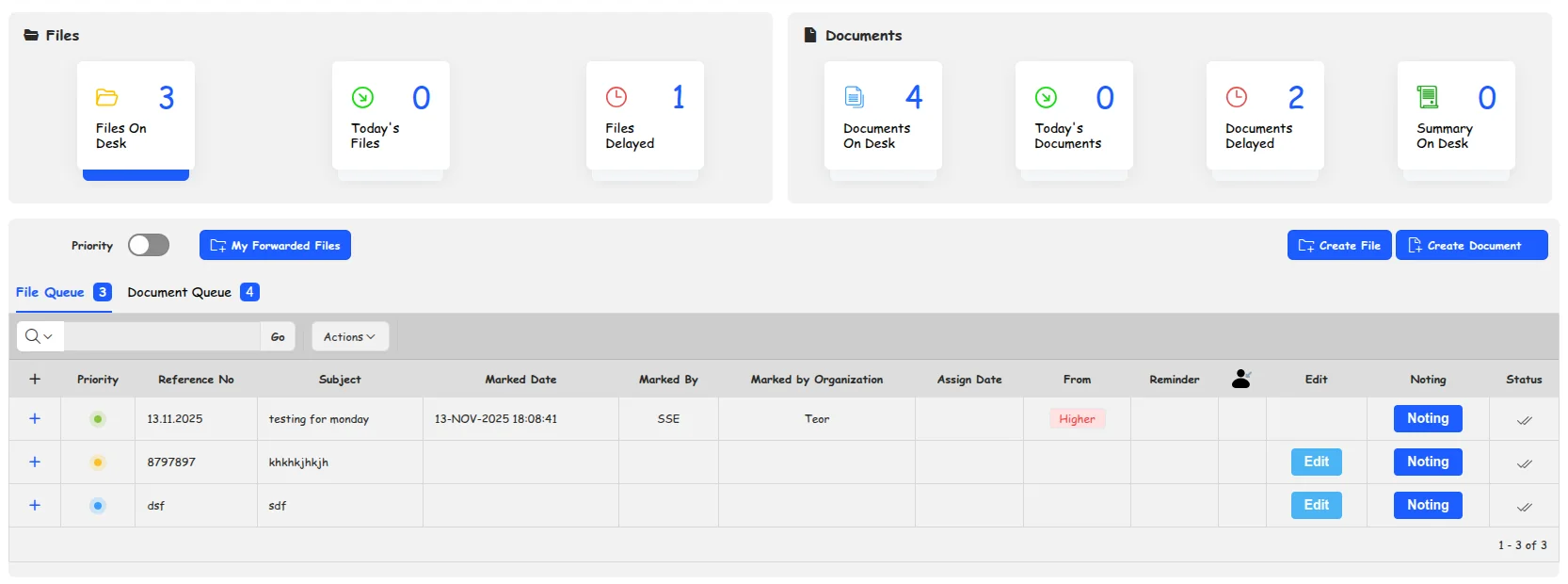
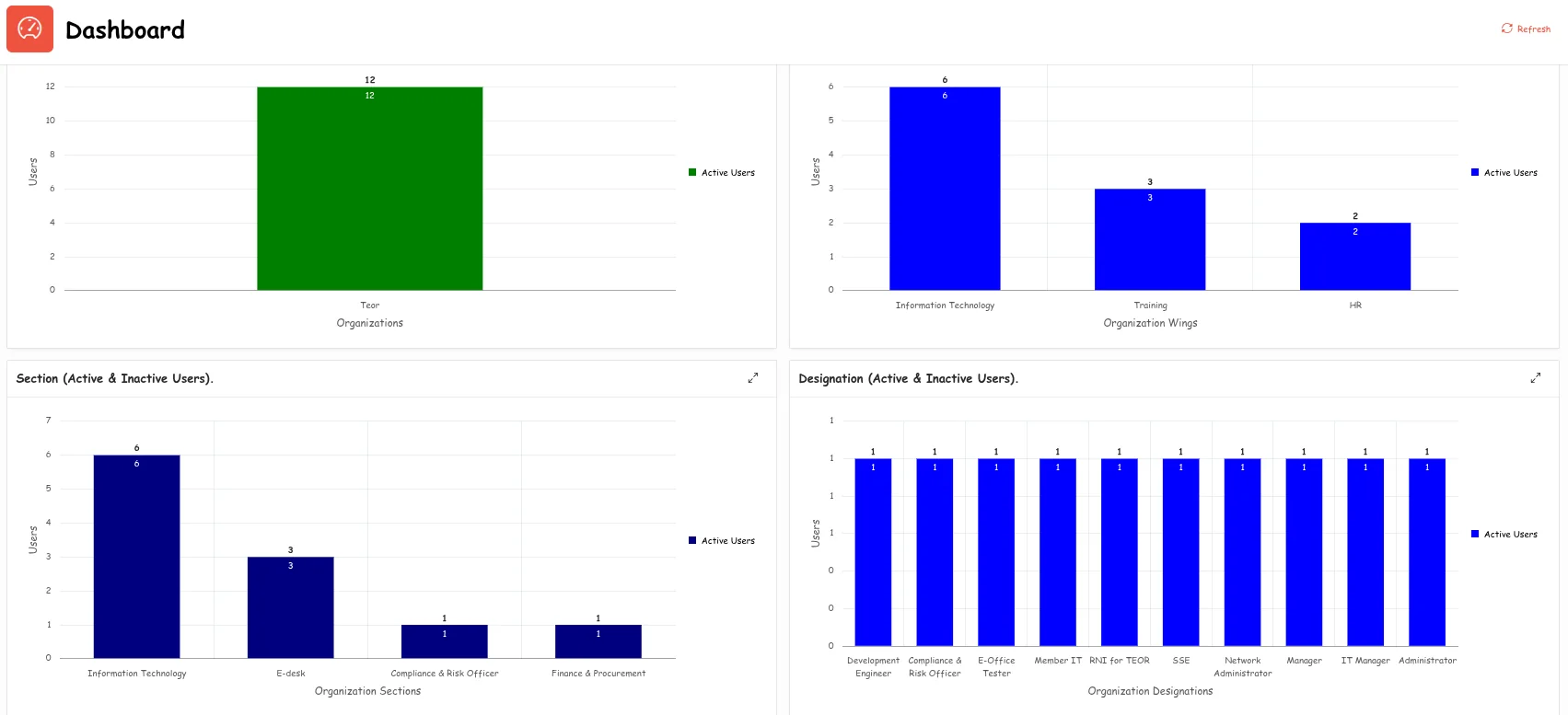
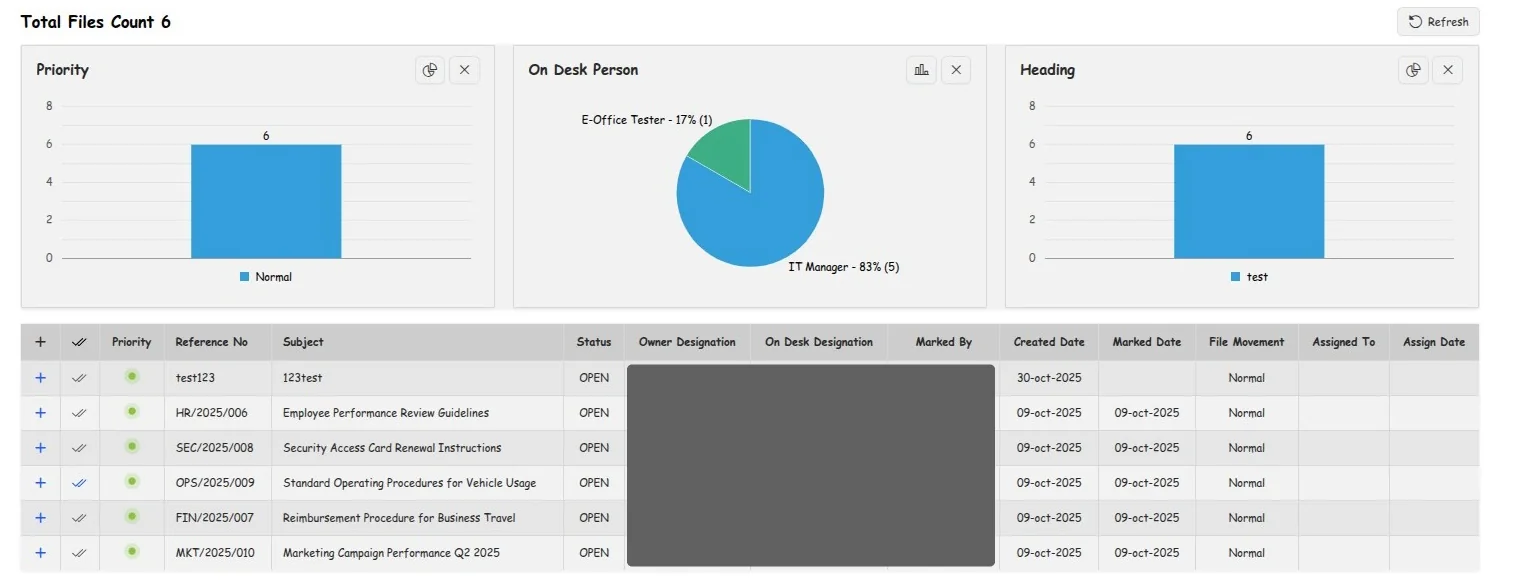
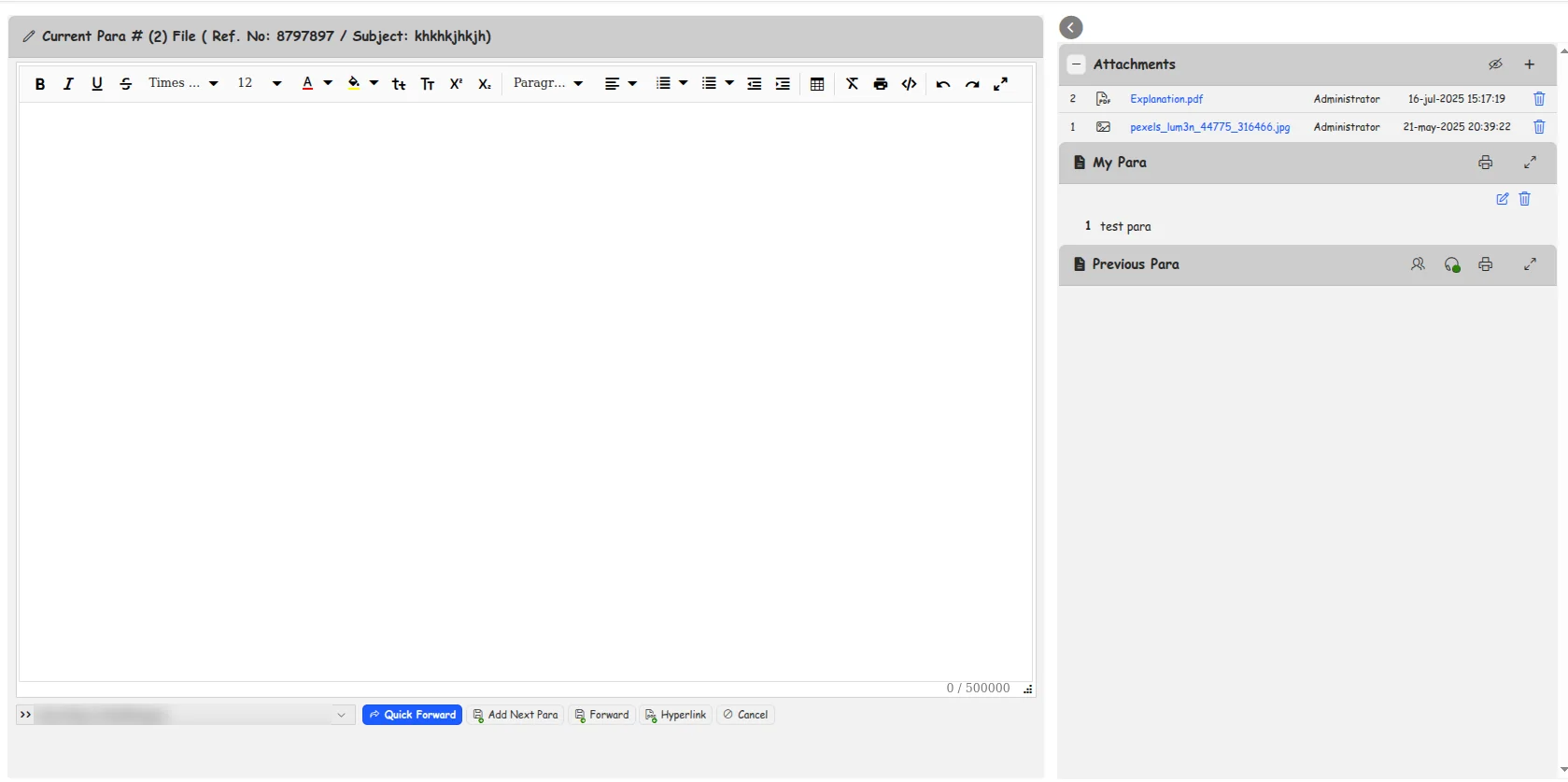
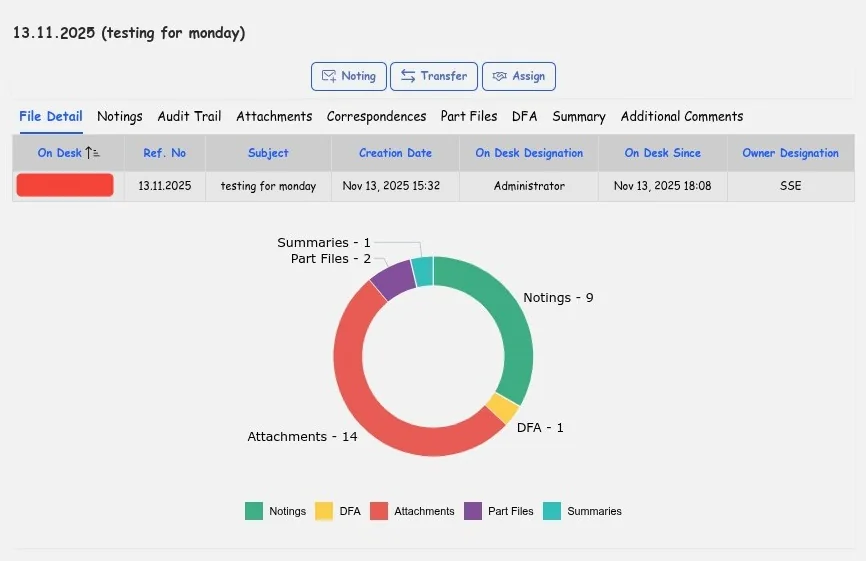
Screens from InvoDESX with test data. Personal names are blurred.
Staff spend their time on the work, not on carrying files. Management sees where every file is.
Build your hierarchy in the admin module: departments, sections and wings, reporting structures and department heads.
Create user profiles, assign department roles and access permissions, and track user activity.
Multi-level approvals, delegation of authority and automatic routing, with an audit trail for every decision.
Work routes along the hierarchy and the designation chain, with clear sight of status and bottlenecks.
Files wait for the right person, in the order your delegation of powers sets, and every decision stays on the file.
InvoDESX runs on Oracle APEX and WebLogic on Linux: one Oracle-backed stack with end-to-end compatibility, strong security and low maintenance.
A complete digital workplace that helps an organization go paperless: files are processed electronically, with monitoring and approvals built in, alongside modules for HR, finance, projects, procurement and an internal portal.
Public and private sector organizations that move files, correspondence and approvals between many desks, and want that work to be faster, traceable and paper-free.
Internal communication (the File Management System and Receipt & Issue), human resources, finance, project management, procurement and an internal portal.
Yes. invoMind’s AI agents can search files, summarise notings, draft replies and prepare reports in InvoDESX from a plain-language request. Anything that forwards, sends or approves a file waits for the right person to approve it.
Yes. You set up departments, sections and wings, create users and roles, and define multi-level approvals and delegation. Files then route along your hierarchy automatically.
Role-based access, digital signatures, watermarking and QR codes protect documents, and an nth-level audit trail and data flashback record every change to a file.
Oracle APEX and Oracle WebLogic, on Linux.
InvoDESX users get around-the-clock chat support, so questions are answered and issues resolved quickly.
See InvoDESX on your own files and workflows, or talk to our team about your organization.